How-to build PXE Fedora 26 live image
How-to build PXE Fedora 26 live image
Original post from linux.xvx.cz
Sometimes it may be handy to PXE boot live image (running only in memory) over the network.
On this page https://lukas.zapletalovi.com/2016/08/hidden-feature-of-fedora-24-live-pxe-boot.html I found an easy way to boot Fedora Live CD over the network.
In my case I prefer to build my own image to reduce the size, because I do not need GUI and many other applications located on Fedora Live CD.
Here are a few steps on how to do it using the Lorax project.
Prepare kickstart file:
1
2
3
4
5
6
7
8
9
10
11
12
13
14
15
16
17
18
19
20
21
22
23
24
25
26
27
28
29
30
31
32
33
34
35
36
37
38
39
40
41
42
43
44
45
46
47
48
49
50
51
52
53
54
55
56
57
58
59
60
61
62
63
64
65
66
67
68
69
70
71
72
73
74
75
76
77
78
79
80
81
82
83
84
85
86
87
88
89
90
91
92
93
94
95
96
97
98
99
100
101
102
103
104
105
106
107
108
109
110
111
112
113
114
115
#version=DEVEL
# Firewall configuration
firewall --disabled
# Use network installation
url --mirrorlist='https://mirrors.fedoraproject.org/mirrorlist?repo=fedora-$releasever&arch=$basearch'
# Root password
rootpw --plaintext xxxxxxxx
# Network information
network --bootproto=dhcp --device=link --activate
# System authorization information
auth --enableshadow --passalgo=sha512
# poweroff after installation
shutdown
# Keyboard layouts
keyboard us
# System language
lang en_US.UTF-8
# SELinux configuration
selinux --disabled
# System timezone
timezone --ntpservers=ntp.nic.cz --utc Etc/UTC
# System bootloader configuration
bootloader --timeout=1 --append="no_timer_check console=tty1 console=ttyS0,115200n8"
# Partition clearing information
zerombr
clearpart --all --initlabel --disklabel=msdos
# Disk partitioning information
part / --size 6000 --fstype ext4

repo --name=my-fedora-updates --mirrorlist=http://mirrors.fedoraproject.org/mirrorlist?repo=updates-released-f$releasever&arch=$basearch

#My
sshkey --username=root "ssh-rsa AAAAB3N...kxZaCiM="

%packages --excludedocs --instLangs=en_US
ethtool
htop
lshw
lsof
mc
nmap
#postfix
screen
strace
tcpdump
telnet
traceroute

policycoreutils                         # this is needed for livemedia-creator
dracut-live                             # this is needed for livemedia-creator
selinux-policy-targeted                 # this is needed for livemedia-creator
%end


%post
(
  set -x

  #################
  # Configuration
  #################

  echo " * setting up systemd"
  echo "DumpCore=no" >> /etc/systemd/system.conf

  echo " * setting up journald"
  echo "Storage=volatile" >> /etc/systemd/journald.conf
  echo "RuntimeMaxUse=15M" >> /etc/systemd/journald.conf
  echo "ForwardToSyslog=no" >> /etc/systemd/journald.conf
  echo "ForwardToConsole=no" >> /etc/systemd/journald.conf


  #################
  # Minimize
  #################

  # Packages to Remove
  dnf remove -y audit cracklib-dicts dnf-yum fedora-logos firewalld grubby kbd parted plymouth polkit sssd-client xkeyboard-config

  echo " * purge existing SSH host keys"
  rm -f /etc/ssh/ssh_host_*key{,.pub}

  echo " * remove KMS DRM video drivers"
  rm -rf /lib/modules/*/kernel/drivers/gpu/drm /lib/firmware/{amdgpu,radeon}

  echo " * remove unused drivers"
  rm -rf /lib/modules/*/kernel/{sound,drivers/media,fs/nls}

  echo " * compressing cracklib dictionary"
  xz -9 /usr/share/cracklib/pw_dict.pwd

  echo " * purging images"
  rm -rf /usr/share/backgrounds/* /usr/share/kde4/* /usr/share/anaconda/pixmaps/rnotes/*

  echo " * truncating various logfiles"
  for log in dnf.log dracut.log lastlog; do
    truncate -c -s 0 /var/log/${log}
  done

  echo " * removing trusted CA certificates"
  truncate -s0 /usr/share/pki/ca-trust-source/ca-bundle.trust.crt
  update-ca-trust

  echo " * cleaning up dnf cache"
  dnf clean all

  # no more python loading after this step
  echo " * removing python precompiled *.pyc files"
  find /usr/lib64/python*/ /usr/lib/python*/ -name '*py[co]' -print0 | xargs -0 rm -f

  echo " * remove login banner"
  rm /etc/issue

) &> /root/ks.out
%end
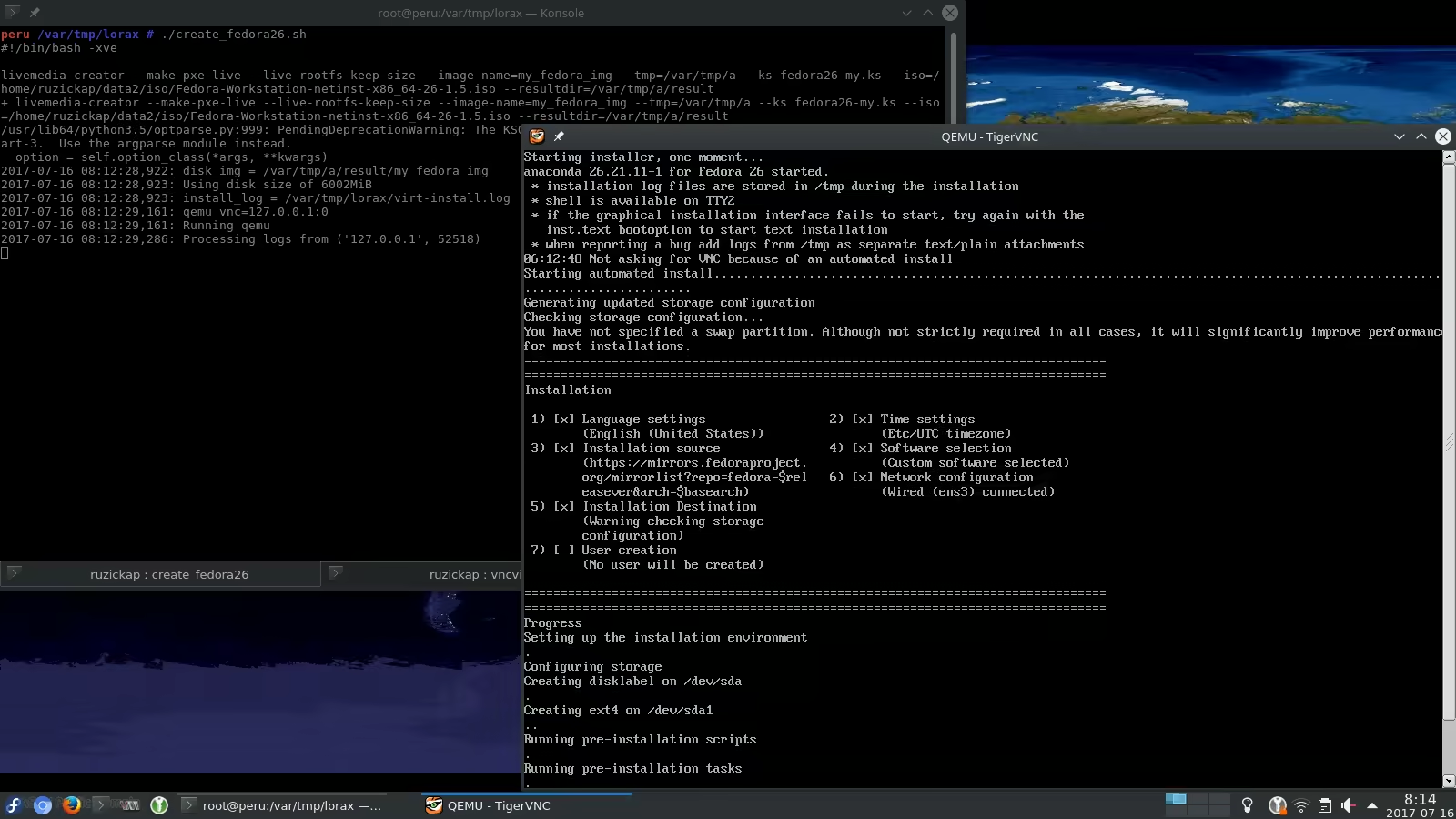
Run the “livemedia-creator”:
1
2
3
4
5
6
7
8
9
10
11
12
13
14
15
16
17
18
19
20
21
22
23
24
25
# livemedia-creator --make-pxe-live --live-rootfs-keep-size --image-name=my_fedora_img --tmp=/var/tmp/a --ks fedora26-my.ks --iso=/home/ruzickap/data2/iso/Fedora-Workstation-netinst-x86_64-26-1.5.iso --resultdir=/var/tmp/a/result
/usr/lib64/python3.5/optparse.py:999: PendingDeprecationWarning: The KSOption class is deprecated and will be removed in pykickstart-3.  Use the argparse module instead.
  option = self.option_class(*args, **kwargs)
2017-07-16 08:12:28,922: disk_img = /var/tmp/a/result/my_fedora_img
2017-07-16 08:12:28,923: Using disk size of 6002MiB
2017-07-16 08:12:28,923: install_log = /var/tmp/lorax/virt-install.log
2017-07-16 08:12:29,161: qemu vnc=127.0.0.1:0
2017-07-16 08:12:29,161: Running qemu
2017-07-16 08:12:29,286: Processing logs from ('127.0.0.1', 52518)
2017-07-16 08:40:25,126: Installation finished without errors.
2017-07-16 08:40:25,127: Shutting down log processing
2017-07-16 08:40:25,129: unmounting the iso
2017-07-16 08:40:25,173: Disk Image install successful
2017-07-16 08:40:25,173: working dir is /var/tmp/a/lmc-work-9vn7o48e
2017-07-16 08:40:25,798: Partition mounted on /var/tmp/a/tmpfs0l52ph size=6291456000
2017-07-16 08:40:25,798: Creating live rootfs image
2017-07-16 08:41:15,402: Packing live rootfs image
2017-07-16 08:46:31,544: Rebuilding initramfs for live
2017-07-16 08:46:31,607: dracut args = ['--xz', '--add', 'livenet dmsquash-live convertfs pollcdrom qemu qemu-net', '--omit', 'plymouth', '--no-hostonly', '--debug', '--no-early-microcode']
2017-07-16 08:46:31,653: rebuilding initramfs-4.11.9-300.fc26.x86_64.img
2017-07-16 08:47:42,530: SUMMARY
2017-07-16 08:47:42,530: -------
2017-07-16 08:47:42,530: Logs are in /var/tmp/lorax
2017-07-16 08:47:42,531: Disk image is at /var/tmp/a/result/my_fedora_img
2017-07-16 08:47:42,531: Results are in /var/tmp/a/result
Then you should see the following file in /var/tmp/a directory:
1
2
3
4
5
6
7
8
9
10
11
12
13
$ find /var/tmp/a
/var/tmp/a
/var/tmp/a/result
/var/tmp/a/result/my_fedora_img
/var/tmp/a/result/live-rootfs.squashfs.img
/var/tmp/a/result/initramfs-4.11.9-300.fc26.x86_64.img
/var/tmp/a/result/vmlinuz-4.11.9-300.fc26.x86_64
/var/tmp/a/result/PXE_CONFIG

$ cat /var/tmp/a/result/PXE_CONFIG
# PXE configuration template generated by livemedia-creator
kernel <PXE_DIR>/vmlinuz-4.11.9-300.fc26.x86_64
append initrd=<PXE_DIR>/initramfs-4.11.9-300.fc26.x86_64.img root=live:<URL>/live-rootfs.squashfs.img
Then you can use the vmlinuz, initramfs and squashfs.img files and put them to your TFTP server. Once you configure your TFTP + DHCP server properly you should be able to “PXE boot” these files.
You can find some more details here as well: https://github.com/theforeman/foreman-discovery-image
What I like on this solution is, that everything on the client side is running in the memory - so it doesn’t matter what you have on the disk.
Enjoy :-)