Cacti 0.8.8b non-interactive installation and configuration
Cacti 0.8.8b non-interactive installation and configuration
Original post from linux.xvx.cz
It may happen that you need to install Cacti without any user interaction. Usually after you install Cacti you need to finish the installation using Web installation wizard where you need to specify some details.
I would like to share the details on how to install Cacti 0.8.8b the automated way without user interaction.
Cacti Installation:
1
2
3
4
5
6
7
8
9
10
11
12
13
14
15
16
17
18
19
20
21
22
23
24
25
26
27
28
29
30
31
32
33
34
35
36
37
38
39
40
41
42
43
44
45
46
47
48
49
50
51
52
53
54
55
56
57
58
59
60
61
62
63
64
65
66
67
68
69
70
71
72
73
74
75
76
77
78
79
yum install -y cacti mysql-server

# MySQL configuration
service mysqld start
chkconfig mysqld on
mysqladmin -u root password admin123

mysql --password=admin123 --user=root << EOF
#Taken from /usr/bin/mysql_secure_installation
#Remove anonymous users
DELETE FROM mysql.user WHERE User='';
#Disallow remote root login
DELETE FROM mysql.user WHERE User='root' AND Host NOT IN ('localhost', '127.0.0.1', '::1');
#Remove test database
DROP DATABASE test;
EOF

# shellcheck disable=SC2016
sed -i.orig 's/^\(\$database_username\).*/\1 = "cacti";/;s/^\(\$database_password\).*/\1 = "admin123";/' /etc/cacti/db.php
sed -i.orig 's/\(Allow from\) localhost/\1 all/' /etc/httpd/conf.d/cacti.conf
sed -i 's@^#\(\*/5 \* \* \* \*.*cacti.*\)@\1@' /etc/cron.d/cacti
sed -i.orig 's@^;\(date.timezone\).*@\1 = "Europe/Prague"@' /etc/php.ini
sed -i.orig 's/^#Listen 80/Listen 80/' /etc/httpd/conf/httpd.conf

service httpd restart

mysql -u root --password=admin123 -v << EOF
CREATE DATABASE cacti;
GRANT ALL ON cacti.* TO cacti@localhost IDENTIFIED BY 'admin123';
FLUSH privileges;
EOF

mysql -u cacti --password=admin123 cacti < "$(rpm -ql cacti | grep cacti.sql)"

mysql -u root --password=admin123 -v << EOF
USE cacti;
UPDATE user_auth SET password = md5('admin123') WHERE username = 'admin';
UPDATE user_auth SET must_change_password = '' WHERE username = 'admin';
UPDATE version SET cacti = '$(rpm -q cacti --queryformat "%{VERSION}")';
#UPDATE host SET snmp_version = '2' WHERE hostname = '127.0.0.1';
UPDATE host SET availability_method = '2' WHERE hostname = '127.0.0.1';
INSERT INTO settings (name,value) VALUES ('path_rrdtool', '$(which rrdtool)'), ('path_snmpget', '$(which snmpget)'), ('path_php_binary', '$(which php)'), ('path_snmpwalk','$(which snmpwalk)'),
('path_snmpbulkwalk', '$(which snmpbulkwalk)'), ('path_snmpgetnext', '$(which snmpgetnext)'), ('path_cactilog', '$(rpm -ql cacti | grep cacti\\\.log$)'), ('snmp_version', 'net-snmp'),
('rrdtool_version', 'rrd-1.3.x');
INSERT INTO settings_graphs (user_id, name, value) VALUES (1, 'treeview_graphs_per_page', '100');
EOF

################################
# Install favorite Cacti plugins
################################

#http://docs.cacti.net/userplugin:quicktree
wget http://wotsit.thingy.com/haj/cacti/quicktree-0.2.zip -P /tmp/
unzip /tmp/quicktree-0.2.zip -d /usr/share/cacti/plugins/

#http://docs.cacti.net/userplugin:dashboard
wget "http://docs.cacti.net/lib/exe/fetch.php?hash=424de1&media=http%3A%2F%2Fdocs.cacti.net%2F_media%2Fuserplugin%3Adashboardv_v1.2.tar" -O - | tar xvf - -C /usr/share/cacti/plugins/

#http://docs.cacti.net/userplugin:intropage
tar xvzf /tmp/intropage_0.4.tar.gz -C /usr/share/cacti/plugins/

#http://docs.cacti.net/userplugin:capacityreport
wget http://docs.cacti.net/_media/userplugin:capacityreport-0.1.zip -P /tmp/
unzip /tmp/userplugin:capacityreport-0.1.zip -d /usr/share/cacti/plugins/

#http://docs.cacti.net/plugin:thold + http://docs.cacti.net/plugin:settings
wget http://docs.cacti.net/_media/plugin:settings-v0.71-1.tgz -O - | tar xvzf - -C /usr/share/cacti/plugins/
wget http://docs.cacti.net/_media/plugin:thold-v0.5.0.tgz -O - | tar xvzf - -C /usr/share/cacti/plugins/

#http://docs.cacti.net/plugin:rrdclean
wget http://docs.cacti.net/_media/plugin:rrdclean-v0.41.tgz -O - | tar xvzf - -C /usr/share/cacti/plugins/
mkdir /usr/share/cacti/rra/{backup,archive} && chown cacti:root /usr/share/cacti/rra/{backup,archive}

#http://docs.cacti.net/plugin:realtime
wget http://docs.cacti.net/_media/plugin:realtime-v0.5-2.tgz -O - | tar xvzf - -C /usr/share/cacti/plugins/
mkdir /tmp/cacti-realtime && chown apache:apache /tmp/cacti-realtime

#http://docs.cacti.net/plugin:hmib
wget http://docs.cacti.net/_media/plugin:hmib-v1.4-2.tgz -O - | tar xvzf - -C /usr/share/cacti/plugins/
Download the OpenStack Infrastructure project’s script which will help with automated adding of the hosts to the Cacti:
1
2
3
4
5
6
7
8
9
#modify the script to work with other VMs (not just KVM based) + small bugfix
wget https://git.openstack.org/cgit/openstack-infra/config/plain/modules/openstack_project/files/cacti/create_graphs.sh -O - | sed 's/All Hosts/Default Tree/;s/add_device.php --description/add_device.php --ping_method=icmp --description/;s/grep "Known"/grep -E "Known|Device IO"/;s@xvd\[a\-z\]\$@-E "\(sd\|xvd\)\[a-z\]\$"@' > /root/create_graphs.sh

chmod a+x /root/create_graphs.sh

wget https://git.openstack.org/cgit/openstack-infra/config/plain/modules/openstack_project/files/cacti/linux_host.xml -P /var/lib/cacti/
/usr/bin/php -q /usr/share/cacti/cli/import_template.php --filename=/var/lib/cacti/linux_host.xml --with-template-rras

wget https://git.openstack.org/cgit/openstack-infra/config/plain/modules/openstack_project/files/cacti/net-snmp_devio.xml -P /usr/local/share/cacti/resource/snmp_queries/
Then you can easily run /root/create_graphs.sh my_host to add the linux host into the Cacti. (You will need to setup the SNMP daemon on the client machine first)
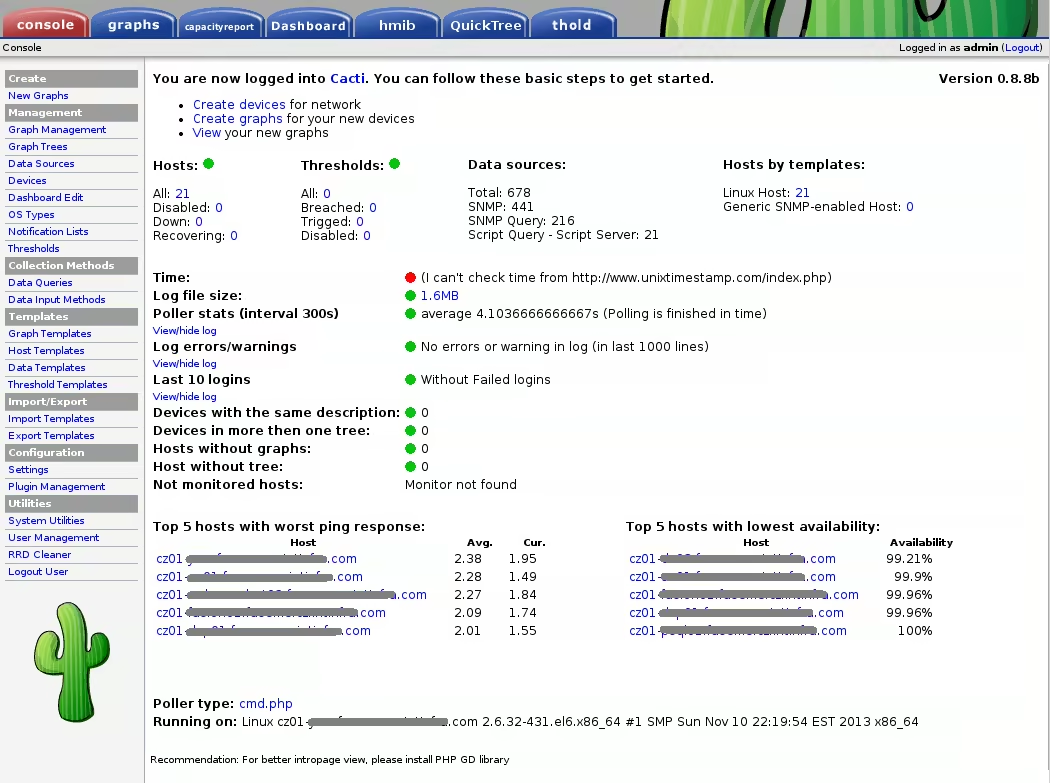
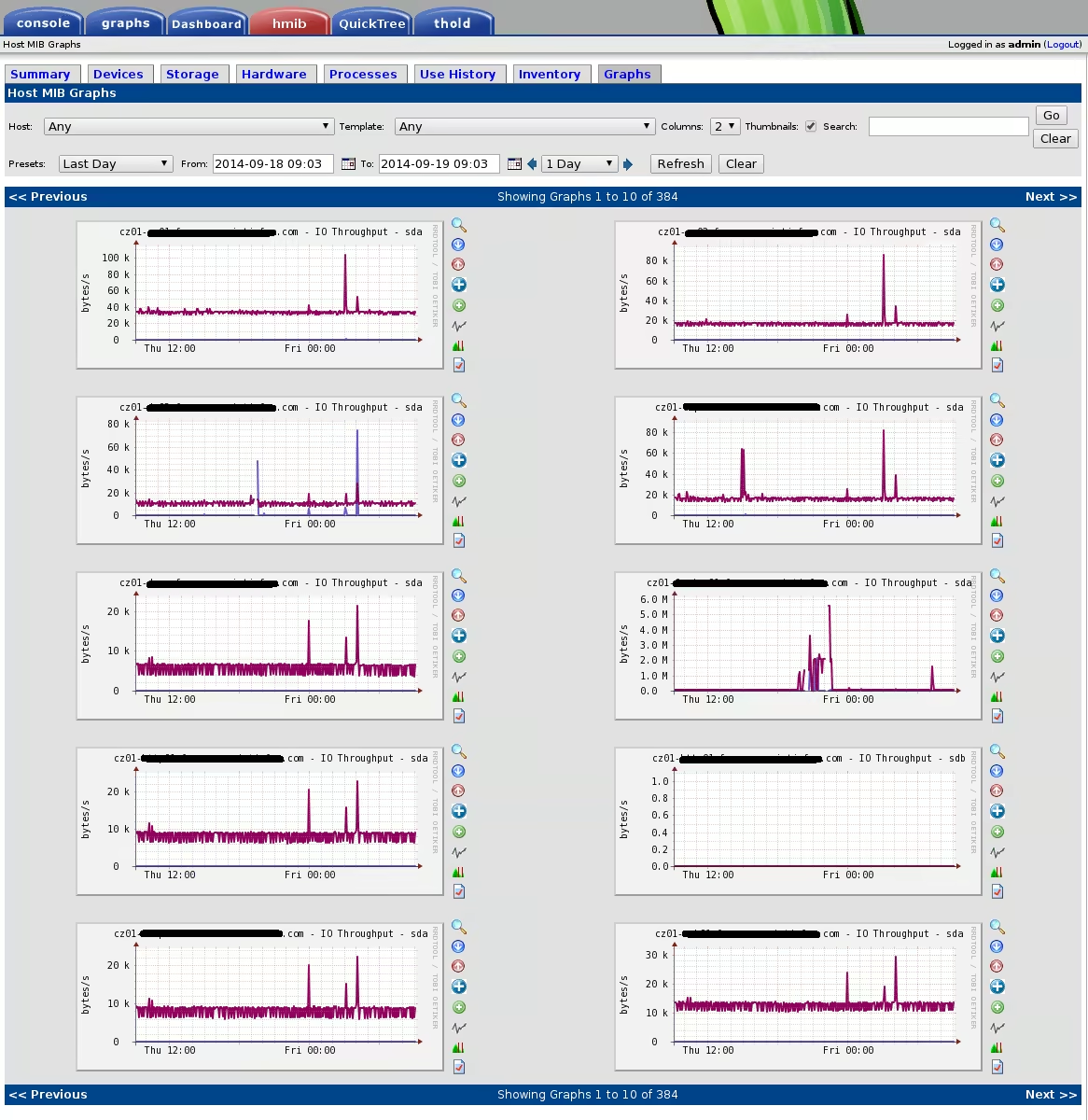
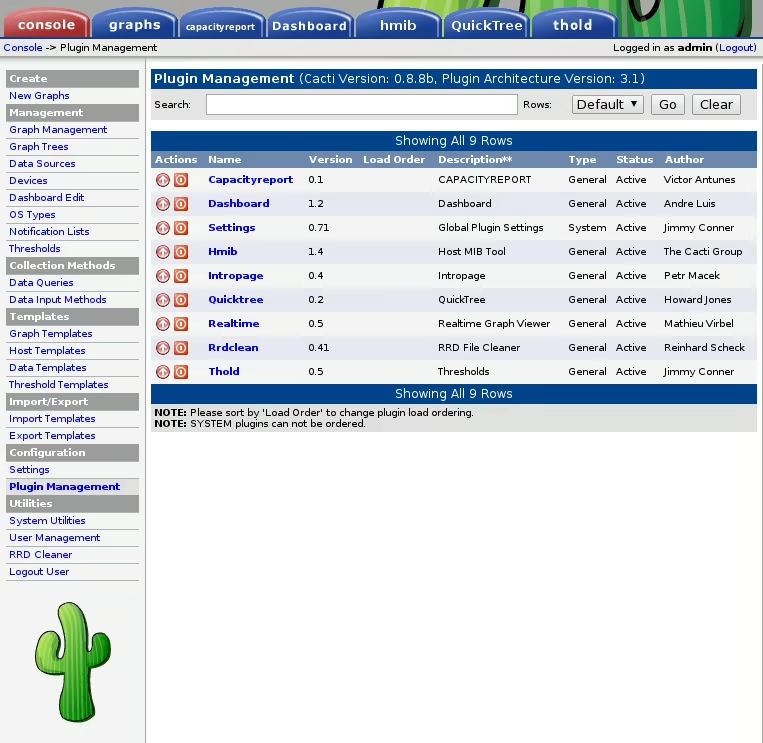
Few Screenshots:

Enjoy :-)
This post is licensed under CC BY 4.0 by the author.