# Amazon EKS on AWS Fargate

Before starting with the main content, it's necessary to provision the Amazon EKS on AWS Fargate (opens new window) in AWS.
# Requirements
If you would like to follow this documents and it's task you will need to set up few environment variables.
The LETSENCRYPT_ENVIRONMENT variable should be one of:
staging- Let’s Encrypt will create testing certificate (not valid)production- Let’s Encrypt will create valid certificate (use with care)
BASE_DOMAIN contains DNS records for all your Kubernetes clusters. The cluster
names will look like CLUSTER_NAME.BASE_DOMAIN (k2.k8s.mylabs.dev).
# Hostname / FQDN definitions
export BASE_DOMAIN="k8s.mylabs.dev"
export CLUSTER_NAME="k2"
export CLUSTER_FQDN="${CLUSTER_NAME}.${BASE_DOMAIN}"
export KUBECONFIG=${PWD}/kubeconfig-${CLUSTER_NAME}.conf
# * "production" - valid certificates signed by Lets Encrypt ""
# * "staging" - not trusted certs signed by Lets Encrypt "Fake LE Intermediate X1"
export LETSENCRYPT_ENVIRONMENT=${LETSENCRYPT_ENVIRONMENT:-staging}
export MY_EMAIL="petr.ruzicka@gmail.com"
# AWS Region
export AWS_DEFAULT_REGION="eu-central-1"
# Tags used to tag the AWS resources
export TAGS="Owner=${MY_EMAIL} Environment=Dev Tribe=Cloud_Native Squad=Cloud_Container_Platform"
echo -e "${MY_EMAIL} | ${LETSENCRYPT_ENVIRONMENT} | ${CLUSTER_NAME} | ${BASE_DOMAIN} | ${CLUSTER_FQDN}\n${TAGS}"
Prepare GitHub OAuth "access" credentials ans AWS "access" variables.
You will need to configure AWS CLI: Configuring the AWS CLI (opens new window)
# AWS Credentials
export AWS_ACCESS_KEY_ID=""
export AWS_SECRET_ACCESS_KEY=""
# Prepare the local working environment
TIP
You can skip these steps if you have all the required software already installed.
Install necessary software:
if [[ -x /usr/bin/apt-get ]]; then
  apt update -qq
  DEBIAN_FRONTEND=noninteractive apt-get install -y -qq ansible awscli git jq sudo
fi
Install kubectl (opens new window) binary:
if [[ ! -x /usr/local/bin/kubectl ]]; then
  # https://github.com/kubernetes/kubectl/releases
  sudo curl -s -Lo /usr/local/bin/kubectl "https://storage.googleapis.com/kubernetes-release/release/v1.19.5/bin/$(uname | sed "s/./\L&/g" )/amd64/kubectl"
  sudo chmod a+x /usr/local/bin/kubectl
fi
Install Helm (opens new window):
if [[ ! -x /usr/local/bin/helm ]]; then
  # https://github.com/helm/helm/releases
  curl -s https://raw.githubusercontent.com/helm/helm/master/scripts/get | bash -s -- --version v3.4.0
fi
Install eksctl (opens new window):
if [[ ! -x /usr/local/bin/eksctl ]]; then
  # https://github.com/weaveworks/eksctl/releases
  curl -s -L "https://github.com/weaveworks/eksctl/releases/download/0.34.0/eksctl_$(uname)_amd64.tar.gz" | sudo tar xz -C /usr/local/bin/
fi
Install AWS IAM Authenticator for Kubernetes (opens new window):
if [[ ! -x /usr/local/bin/aws-iam-authenticator ]]; then
  # https://docs.aws.amazon.com/eks/latest/userguide/install-aws-iam-authenticator.html
  sudo curl -s -Lo /usr/local/bin/aws-iam-authenticator "https://amazon-eks.s3.us-west-2.amazonaws.com/1.18.9/2020-11-02/bin/$(uname | sed "s/./\L&/g" )/amd64/aws-iam-authenticator"
  sudo chmod a+x /usr/local/bin/aws-iam-authenticator
fi
# Configure AWS Route 53 Domain delegation
Create DNS zone (BASE_DOMAIN):
aws route53 create-hosted-zone --output json \
  --name ${BASE_DOMAIN} \
  --caller-reference "$(date)" \
  --hosted-zone-config="{\"Comment\": \"Created by ${MY_EMAIL}\", \"PrivateZone\": false}" | jq
Use your domain registrar to change the nameservers for your zone (for example "mylabs.dev") to use the Amazon Route 53 nameservers. Here is the way how you can find out the the Route 53 nameservers:
NEW_ZONE_ID=$(aws route53 list-hosted-zones --query "HostedZones[?Name==\`${BASE_DOMAIN}.\`].Id" --output text)
NEW_ZONE_NS=$(aws route53 get-hosted-zone --output json --id "${NEW_ZONE_ID}" --query "DelegationSet.NameServers")
NEW_ZONE_NS1=$(echo "${NEW_ZONE_NS}" | jq -r ".[0]")
NEW_ZONE_NS2=$(echo "${NEW_ZONE_NS}" | jq -r ".[1]")
Create the NS record in k8s.mylabs.dev (BASE_DOMAIN) for proper zone
delegation. This step depends on your domain registrar - I'm using CloudFlare
and using Ansible to automate it:
ansible -m cloudflare_dns -c local -i "localhost," localhost -a "zone=mylabs.dev record=${BASE_DOMAIN} type=NS value=${NEW_ZONE_NS1} solo=true proxied=no account_email=${CLOUDFLARE_EMAIL} account_api_token=${CLOUDFLARE_API_KEY}"
ansible -m cloudflare_dns -c local -i "localhost," localhost -a "zone=mylabs.dev record=${BASE_DOMAIN} type=NS value=${NEW_ZONE_NS2} solo=false proxied=no account_email=${CLOUDFLARE_EMAIL} account_api_token=${CLOUDFLARE_API_KEY}"
Output:
localhost | CHANGED => {
    "ansible_facts": {
        "discovered_interpreter_python": "/usr/bin/python"
    },
    "changed": true,
    "result": {
        "record": {
            "content": "ns-885.awsdns-46.net",
            "created_on": "2020-11-13T06:25:32.18642Z",
            "id": "dxxxxxxxxxxxxxxxxxxxxxxxxxxxxxxb",
            "locked": false,
            "meta": {
                "auto_added": false,
                "managed_by_apps": false,
                "managed_by_argo_tunnel": false,
                "source": "primary"
            },
            "modified_on": "2020-11-13T06:25:32.18642Z",
            "name": "k8s.mylabs.dev",
            "proxiable": false,
            "proxied": false,
            "ttl": 1,
            "type": "NS",
            "zone_id": "2xxxxxxxxxxxxxxxxxxxxxxxxxxxxxxe",
            "zone_name": "mylabs.dev"
        }
    }
}
localhost | CHANGED => {
    "ansible_facts": {
        "discovered_interpreter_python": "/usr/bin/python"
    },
    "changed": true,
    "result": {
        "record": {
            "content": "ns-1692.awsdns-19.co.uk",
            "created_on": "2020-11-13T06:25:37.605605Z",
            "id": "9xxxxxxxxxxxxxxxxxxxxxxxxxxxxxxb",
            "locked": false,
            "meta": {
                "auto_added": false,
                "managed_by_apps": false,
                "managed_by_argo_tunnel": false,
                "source": "primary"
            },
            "modified_on": "2020-11-13T06:25:37.605605Z",
            "name": "k8s.mylabs.dev",
            "proxiable": false,
            "proxied": false,
            "ttl": 1,
            "type": "NS",
            "zone_id": "2xxxxxxxxxxxxxxxxxxxxxxxxxxxxxxe",
            "zone_name": "mylabs.dev"
        }
    }
}
# Add new domain to Route 53 and Policies
Details with examples are described on these links:
- https://aws.amazon.com/blogs/opensource/introducing-fine-grained-iam-roles-service-accounts/ (opens new window)
- https://cert-manager.io/docs/configuration/acme/dns01/route53/ (opens new window)
- https://github.com/kubernetes-sigs/external-dns/blob/master/docs/tutorials/aws.md (opens new window)
Create CloudFormation template containing policies for Route53, S3 access
(Harbor) and Domain. AWS IAM Policy ${ClusterFQDN}-AmazonRoute53Domains
allows cert-manager and external-dns to modify the Route 53 entries.
Put new domain CLUSTER_FQDN to the Route 53 and configure the
DNS delegation from the BASE_DOMAIN.
test -d tmp || mkdir -v tmp

cat > tmp/aws_policies.yml << \EOF
Description: "Template to generate the necessary Route53 Policies for access to Route53 and create EFS"
Parameters:
  ClusterFQDN:
    Description: "Cluster domain where all necessary app subdomains will live (subdomain of BaseDomain). Ex: k1.k8s.mylabs.dev"
    Type: String
  BaseDomain:
    Description: "Base domain where cluster domains + their subdomains will live. Ex: k8s.mylabs.dev"
    Type: String
Resources:
  Route53Policy:
    Type: AWS::IAM::ManagedPolicy
    Properties:
      ManagedPolicyName: !Sub "${ClusterFQDN}-AmazonRoute53Domains"
      Description: !Sub "Policy required by cert-manager or external-dns to be able to modify Route 53 entries for ${ClusterFQDN}"
      PolicyDocument:
        Version: "2012-10-17"
        Statement:
        - Effect: Allow
          Action:
          - route53:GetChange
          Resource: "arn:aws:route53:::change/*"
        - Effect: Allow
          Action:
          - route53:ChangeResourceRecordSets
          - route53:ListResourceRecordSets
          Resource: !Sub "arn:aws:route53:::hostedzone/${HostedZone.Id}"
        - Effect: Allow
          Action:
          - route53:ListHostedZones
          - route53:ListHostedZonesByName
          Resource: "*"
  HostedZone:
    Type: AWS::Route53::HostedZone
    Properties:
      Name: !Ref ClusterFQDN
  RecordSet:
    Type: AWS::Route53::RecordSet
    Properties:
      HostedZoneName: !Sub "${BaseDomain}."
      Name: !Ref ClusterFQDN
      Type: NS
      TTL: 60
      ResourceRecords: !GetAtt HostedZone.NameServers
  CloudWatchPolicy:
    Type: AWS::IAM::ManagedPolicy
    Properties:
      ManagedPolicyName: !Sub "${ClusterFQDN}-CloudWatch"
      Description: !Sub "Policy required by Fargate to log to CloudWatch for ${ClusterFQDN}"
      PolicyDocument:
        Version: "2012-10-17"
        Statement:
        - Effect: Allow
          Action:
          - logs:CreateLogStream
          - logs:CreateLogGroup
          - logs:DescribeLogStreams
          - logs:PutLogEvents
          Resource: "*"
  AWSLoadBalancerControllerPolicy:
    Type: AWS::IAM::ManagedPolicy
    Properties:
      ManagedPolicyName: !Sub "${ClusterFQDN}-AWSLoadBalancerControllerPolicy"
      Description: !Sub "Policy required by AWS LoadBalancer Controller for ${ClusterFQDN}"
      PolicyDocument:
        # https://github.com/kubernetes-sigs/aws-load-balancer-controller/blob/main/docs/install/iam_policy.json
        Version: "2012-10-17"
        Statement:
        - Effect: Allow
          Action:
          - iam:CreateServiceLinkedRole
          - ec2:DescribeAccountAttributes
          - ec2:DescribeAddresses
          - ec2:DescribeInternetGateways
          - ec2:DescribeVpcs
          - ec2:DescribeSubnets
          - ec2:DescribeSecurityGroups
          - ec2:DescribeInstances
          - ec2:DescribeNetworkInterfaces
          - ec2:DescribeTags
          - elasticloadbalancing:DescribeLoadBalancers
          - elasticloadbalancing:DescribeLoadBalancerAttributes
          - elasticloadbalancing:DescribeListeners
          - elasticloadbalancing:DescribeListenerCertificates
          - elasticloadbalancing:DescribeSSLPolicies
          - elasticloadbalancing:DescribeRules
          - elasticloadbalancing:DescribeTargetGroups
          - elasticloadbalancing:DescribeTargetGroupAttributes
          - elasticloadbalancing:DescribeTargetHealth
          - elasticloadbalancing:DescribeTags
          Resource: "*"
        - Effect: Allow
          Action:
          - cognito-idp:DescribeUserPoolClient
          - acm:ListCertificates
          - acm:DescribeCertificate
          - iam:ListServerCertificates
          - iam:GetServerCertificate
          - waf-regional:GetWebACL
          - waf-regional:GetWebACLForResource
          - waf-regional:AssociateWebACL
          - waf-regional:DisassociateWebACL
          - wafv2:GetWebACL
          - wafv2:GetWebACLForResource
          - wafv2:AssociateWebACL
          - wafv2:DisassociateWebACL
          - shield:GetSubscriptionState
          - shield:DescribeProtection
          - shield:CreateProtection
          - shield:DeleteProtection
          Resource: "*"
        - Effect: Allow
          Action:
          - ec2:AuthorizeSecurityGroupIngress
          - ec2:RevokeSecurityGroupIngress
          Resource: "*"
        - Effect: Allow
          Action:
          - ec2:CreateSecurityGroup
          Resource: "*"
        - Effect: Allow
          Action:
          - ec2:CreateTags
          Resource: arn:aws:ec2:*:*:security-group/*
          Condition:
            StringEquals:
              ec2:CreateAction: CreateSecurityGroup
            "Null":
              aws:RequestTag/elbv2.k8s.aws/cluster: "false"
        - Effect: Allow
          Action:
          - ec2:CreateTags
          - ec2:DeleteTags
          Resource: arn:aws:ec2:*:*:security-group/*
          Condition:
            "Null":
              aws:RequestTag/elbv2.k8s.aws/cluster: "true"
              aws:ResourceTag/elbv2.k8s.aws/cluster: "false"
        - Effect: Allow
          Action:
          - ec2:AuthorizeSecurityGroupIngress
          - ec2:RevokeSecurityGroupIngress
          - ec2:DeleteSecurityGroup
          Resource: "*"
          Condition:
            "Null":
              aws:ResourceTag/elbv2.k8s.aws/cluster: "false"
        - Effect: Allow
          Action:
          - elasticloadbalancing:CreateLoadBalancer
          - elasticloadbalancing:CreateTargetGroup
          Resource: "*"
          Condition:
            "Null":
              aws:RequestTag/elbv2.k8s.aws/cluster: "false"
        - Effect: Allow
          Action:
          - elasticloadbalancing:CreateListener
          - elasticloadbalancing:DeleteListener
          - elasticloadbalancing:CreateRule
          - elasticloadbalancing:DeleteRule
          Resource: "*"
        - Effect: Allow
          Action:
          - elasticloadbalancing:AddTags
          - elasticloadbalancing:RemoveTags
          Resource:
          - arn:aws:elasticloadbalancing:*:*:targetgroup/*/*
          - arn:aws:elasticloadbalancing:*:*:loadbalancer/net/*/*
          - arn:aws:elasticloadbalancing:*:*:loadbalancer/app/*/*
          Condition:
            "Null":
              aws:RequestTag/elbv2.k8s.aws/cluster: "true"
              aws:ResourceTag/elbv2.k8s.aws/cluster: "false"
        - Effect: Allow
          Action:
          - elasticloadbalancing:ModifyLoadBalancerAttributes
          - elasticloadbalancing:SetIpAddressType
          - elasticloadbalancing:SetSecurityGroups
          - elasticloadbalancing:SetSubnets
          - elasticloadbalancing:DeleteLoadBalancer
          - elasticloadbalancing:ModifyTargetGroup
          - elasticloadbalancing:ModifyTargetGroupAttributes
          - elasticloadbalancing:DeleteTargetGroup
          Resource: "*"
          Condition:
            "Null":
              aws:ResourceTag/elbv2.k8s.aws/cluster: "false"
        - Effect: Allow
          Action:
          - elasticloadbalancing:RegisterTargets
          - elasticloadbalancing:DeregisterTargets
          Resource: arn:aws:elasticloadbalancing:*:*:targetgroup/*/*
        - Effect: Allow
          Action:
          - elasticloadbalancing:SetWebAcl
          - elasticloadbalancing:ModifyListener
          - elasticloadbalancing:AddListenerCertificates
          - elasticloadbalancing:RemoveListenerCertificates
          - elasticloadbalancing:ModifyRule
          Resource: "*"
Outputs:
  Route53Policy:
    Description: The ARN of the created Route53Policy
    Value:
      Ref: Route53Policy
    Export:
      Name:
        Fn::Sub: "${AWS::StackName}-Route53Policy"
  HostedZone:
    Description: The ARN of the created Route53 Zone for K8s cluster
    Value:
      Ref: HostedZone
    Export:
      Name:
        Fn::Sub: "${AWS::StackName}-HostedZone"
  CloudWatchPolicy:
    Description: The ARN of the created CloudWatchPolicy
    Value:
      Ref: CloudWatchPolicy
    Export:
      Name:
        Fn::Sub: "${AWS::StackName}-CloudWatchPolicy"
  AWSLoadBalancerControllerPolicy:
    Description: The ARN of the created AWSLoadBalancerControllerPolicy
    Value:
      Ref: AWSLoadBalancerControllerPolicy
    Export:
      Name:
        Fn::Sub: "${AWS::StackName}-AWSLoadBalancerControllerPolicy"

EOF

eval aws cloudformation deploy --capabilities CAPABILITY_NAMED_IAM \
  --parameter-overrides "ClusterFQDN=${CLUSTER_FQDN} BaseDomain=${BASE_DOMAIN}" \
  --stack-name "${CLUSTER_NAME}-route53-cloudwatch" --template-file tmp/aws_policies.yml --tags "${TAGS}"

AWS_CLOUDFORMATION_DETAILS=$(aws cloudformation describe-stacks --stack-name "${CLUSTER_NAME}-route53-cloudwatch")
ROUTE53_POLICY_ARN=$(echo "${AWS_CLOUDFORMATION_DETAILS}" | jq -r ".Stacks[0].Outputs[] | select(.OutputKey==\"Route53Policy\") .OutputValue")
CLOUDWATCH_POLICY_ARN=$(echo "${AWS_CLOUDFORMATION_DETAILS}" | jq -r ".Stacks[0].Outputs[] | select(.OutputKey==\"CloudWatchPolicy\") .OutputValue")
AWSLOADBALANCERCONTROLLER_POLICY_ARN=$(echo "${AWS_CLOUDFORMATION_DETAILS}" | jq -r ".Stacks[0].Outputs[] | select(.OutputKey==\"AWSLoadBalancerControllerPolicy\") .OutputValue")
# Create Amazon EKS
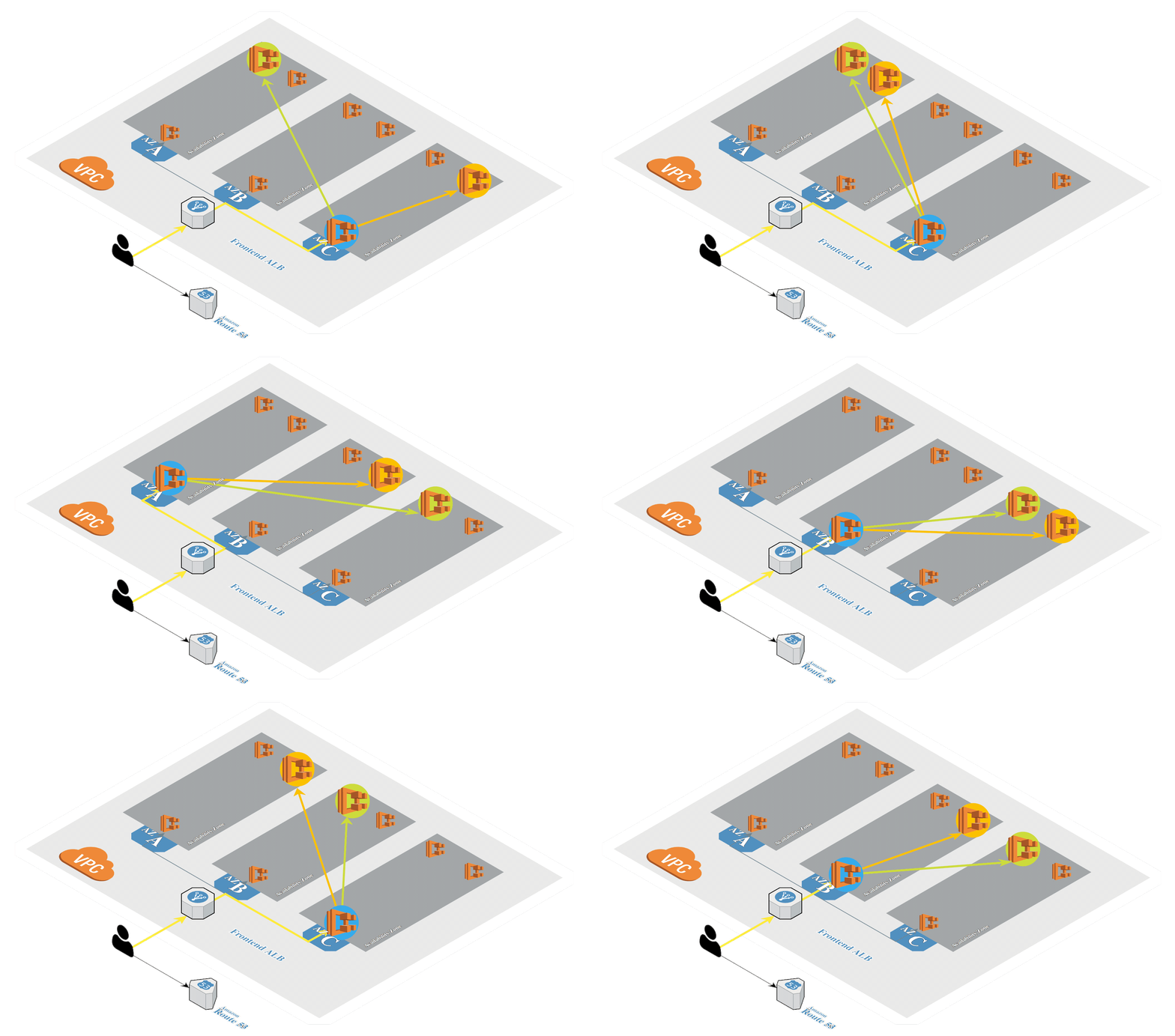
Create Amazon EKS (opens new window) in AWS by using eksctl (opens new window). It's a tool from Weaveworks based on official AWS CloudFormation templates which will be used to launch and configure our Amazon EKS on AWS Fargate cluster.

Create the Amazon EKS cluster using eksctl:
eksctl create cluster --config-file - --kubeconfig "${KUBECONFIG}" << EOF
# https://eksctl.io/usage/schema/
apiVersion: eksctl.io/v1alpha5
kind: ClusterConfig

metadata:
  name: ${CLUSTER_NAME}
  region: ${AWS_DEFAULT_REGION}
  version: "1.18"
  tags: &tags
    Owner: ${MY_EMAIL}
    Environment: Dev
    Tribe: Cloud_Native
    Squad: Cloud_Container_Platform

availabilityZones:
  - ${AWS_DEFAULT_REGION}a
  - ${AWS_DEFAULT_REGION}b

iam:
  withOIDC: true
  serviceAccounts:
    - metadata:
        name: cert-manager
        namespace: cert-manager
      attachPolicyARNs:
        - ${ROUTE53_POLICY_ARN}
    - metadata:
        name: external-dns
        namespace: external-dns
      attachPolicyARNs:
        - ${ROUTE53_POLICY_ARN}
    - metadata:
        name: aws-load-balancer-controller
        namespace: kube-system
      attachPolicyARNs:
        - ${AWSLOADBALANCERCONTROLLER_POLICY_ARN}

fargateProfiles:
  - name: fargate-default
    selectors:
      - namespace: default
      - namespace: kube-system
    tags: *tags
  # - name: fargate-cert-manager
  #   selectors:
  #     - namespace: cert-manager
  #   tags: *tags
  # - name: fargate-external-dns
  #   selectors:
  #     - namespace: external-dns
  #   tags: *tags
  # - name: fargate-kubed
  #   selectors:
  #     - namespace: kubed
  #   tags: *tags

cloudWatch:
  clusterLogging:
     enableTypes: ["audit", "authenticator", "controllerManager"]
EOF
Output:
[ℹ]  eksctl version 0.35.0
[ℹ]  using region eu-central-1
[ℹ]  subnets for eu-central-1a - public:192.168.0.0/19 private:192.168.64.0/19
[ℹ]  subnets for eu-central-1b - public:192.168.32.0/19 private:192.168.96.0/19
[ℹ]  using Kubernetes version 1.18
[ℹ]  creating EKS cluster "k2" in "eu-central-1" region with Fargate profile
[ℹ]  will create a CloudFormation stack for cluster itself and 0 nodegroup stack(s)
[ℹ]  will create a CloudFormation stack for cluster itself and 0 managed nodegroup stack(s)
[ℹ]  if you encounter any issues, check CloudFormation console or try 'eksctl utils describe-stacks --region=eu-central-1 --cluster=k2'
[ℹ]  Kubernetes API endpoint access will use default of {publicAccess=true, privateAccess=false} for cluster "k2" in "eu-central-1"
[ℹ]  2 sequential tasks: { create cluster control plane "k2", 2 sequential sub-tasks: { 6 sequential sub-tasks: { tag cluster, update CloudWatch logging configuration, create fargate profiles, associate IAM OIDC provider, 4 parallel sub-tasks: { 2 sequential sub-tasks: { create IAM role for serviceaccount "cert-manager/cert-manager", create serviceaccount "cert-manager/cert-manager" }, 2 sequential sub-tasks: { create IAM role for serviceaccount "external-dns/external-dns", create serviceaccount "external-dns/external-dns" }, 2 sequential sub-tasks: { create IAM role for serviceaccount "kube-system/aws-load-balancer-controller", create serviceaccount "kube-system/aws-load-balancer-controller" }, 2 sequential sub-tasks: { create IAM role for serviceaccount "kube-system/aws-node", create serviceaccount "kube-system/aws-node" } }, restart daemonset "kube-system/aws-node" }, create addons } }
[ℹ]  building cluster stack "eksctl-k2-cluster"
[ℹ]  deploying stack "eksctl-k2-cluster"
[✔]  tagged EKS cluster (Environment=Dev, Owner=petr.ruzicka@gmail.com, Squad=Cloud_Container_Platform, Tribe=Cloud_Native)
[✔]  configured CloudWatch logging for cluster "k2" in "eu-central-1" (enabled types: audit, authenticator, controllerManager & disabled types: api, scheduler)
[ℹ]  creating Fargate profile "fargate-default" on EKS cluster "k2"
[ℹ]  created Fargate profile "fargate-default" on EKS cluster "k2"
[ℹ]  "coredns" is now schedulable onto Fargate
[ℹ]  "coredns" is now scheduled onto Fargate
[ℹ]  "coredns" pods are now scheduled onto Fargate
[ℹ]  building iamserviceaccount stack "eksctl-k2-addon-iamserviceaccount-external-dns-external-dns"
[ℹ]  building iamserviceaccount stack "eksctl-k2-addon-iamserviceaccount-kube-system-aws-node"
[ℹ]  building iamserviceaccount stack "eksctl-k2-addon-iamserviceaccount-cert-manager-cert-manager"
[ℹ]  building iamserviceaccount stack "eksctl-k2-addon-iamserviceaccount-kube-system-aws-load-balancer-controller"
[ℹ]  deploying stack "eksctl-k2-addon-iamserviceaccount-kube-system-aws-load-balancer-controller"
[ℹ]  deploying stack "eksctl-k2-addon-iamserviceaccount-cert-manager-cert-manager"
[ℹ]  deploying stack "eksctl-k2-addon-iamserviceaccount-external-dns-external-dns"
[ℹ]  deploying stack "eksctl-k2-addon-iamserviceaccount-kube-system-aws-node"
[ℹ]  created serviceaccount "kube-system/aws-load-balancer-controller"
[ℹ]  created namespace "external-dns"
[ℹ]  created serviceaccount "external-dns/external-dns"
[ℹ]  serviceaccount "kube-system/aws-node" already exists
[ℹ]  updated serviceaccount "kube-system/aws-node"
[ℹ]  created namespace "cert-manager"
[ℹ]  created serviceaccount "cert-manager/cert-manager"
[ℹ]  daemonset "kube-system/aws-node" restarted
[ℹ]  waiting for the control plane availability...
[✔]  saved kubeconfig as "/Users/ruzickap/git/k8s-fargate-eks/kubeconfig-k2.conf"
[ℹ]  no tasks
[✔]  all EKS cluster resources for "k2" have been created
[ℹ]  kubectl command should work with "/Users/ruzickap/git/k8s-fargate-eks/kubeconfig-k2.conf", try 'kubectl --kubeconfig=/Users/ruzickap/git/k8s-fargate-eks/kubeconfig-k2.conf get nodes'
[✔]  EKS cluster "k2" in "eu-central-1" region is ready
Remove namespaces with serviceaccounts created by eksctl:
kubectl delete serviceaccount -n kube-system cert-manager
kubectl delete serviceaccount -n kube-system external-dns
Check the nodes:
kubectl describe nodes
Output:
Name:               fargate-ip-192-168-105-82.eu-central-1.compute.internal
Roles:              <none>
Labels:             beta.kubernetes.io/arch=amd64
                    beta.kubernetes.io/os=linux
                    eks.amazonaws.com/compute-type=fargate
                    failure-domain.beta.kubernetes.io/region=eu-central-1
                    failure-domain.beta.kubernetes.io/zone=eu-central-1b
                    kubernetes.io/arch=amd64
                    kubernetes.io/hostname=ip-192-168-105-82.eu-central-1.compute.internal
                    kubernetes.io/os=linux
                    topology.kubernetes.io/region=eu-central-1
                    topology.kubernetes.io/zone=eu-central-1b
Annotations:        node.alpha.kubernetes.io/ttl: 0
                    volumes.kubernetes.io/controller-managed-attach-detach: true
CreationTimestamp:  Sat, 02 Jan 2021 11:13:17 +0100
Taints:             eks.amazonaws.com/compute-type=fargate:NoSchedule
Unschedulable:      false
Lease:
  HolderIdentity:  fargate-ip-192-168-105-82.eu-central-1.compute.internal
  AcquireTime:     <unset>
  RenewTime:       Sat, 02 Jan 2021 11:15:17 +0100
Conditions:
  Type             Status  LastHeartbeatTime                 LastTransitionTime                Reason                       Message
  ----             ------  -----------------                 ------------------                ------                       -------
  MemoryPressure   False   Sat, 02 Jan 2021 11:13:47 +0100   Sat, 02 Jan 2021 11:13:17 +0100   KubeletHasSufficientMemory   kubelet has sufficient memory available
  DiskPressure     False   Sat, 02 Jan 2021 11:13:47 +0100   Sat, 02 Jan 2021 11:13:17 +0100   KubeletHasNoDiskPressure     kubelet has no disk pressure
  PIDPressure      False   Sat, 02 Jan 2021 11:13:47 +0100   Sat, 02 Jan 2021 11:13:17 +0100   KubeletHasSufficientPID      kubelet has sufficient PID available
  Ready            True    Sat, 02 Jan 2021 11:13:47 +0100   Sat, 02 Jan 2021 11:13:27 +0100   KubeletReady                 kubelet is posting ready status
Addresses:
  InternalIP:   192.168.105.82
  InternalDNS:  ip-192-168-105-82.eu-central-1.compute.internal
  Hostname:     ip-192-168-105-82.eu-central-1.compute.internal
Capacity:
  attachable-volumes-aws-ebs:  39
  cpu:                         2
  ephemeral-storage:           30832548Ki
  hugepages-1Gi:               0
  hugepages-2Mi:               0
  memory:                      15649708Ki
  pods:                        1
Allocatable:
  attachable-volumes-aws-ebs:  39
  cpu:                         2
  ephemeral-storage:           28415276190
  hugepages-1Gi:               0
  hugepages-2Mi:               0
  memory:                      15547308Ki
  pods:                        1
System Info:
  Machine ID:
  System UUID:                EC2C7130-59B9-D75C-F44C-2CCFAD69C864
  Boot ID:                    e2e285fa-b723-4c1c-84c2-10c680f0c0d3
  Kernel Version:             4.14.209-160.335.amzn2.x86_64
  OS Image:                   Amazon Linux 2
  Operating System:           linux
  Architecture:               amd64
  Container Runtime Version:  containerd://1.3.2
  Kubelet Version:            v1.18.8-eks-7c9bda
  Kube-Proxy Version:         v1.18.8-eks-7c9bda
ProviderID:                   aws:///eu-central-1b/7b1974769e-0d7cb3f0582c4079908372a2c1d80b16/fargate-ip-192-168-105-82.eu-central-1.compute.internal
Non-terminated Pods:          (1 in total)
  Namespace                   Name                        CPU Requests  CPU Limits  Memory Requests  Memory Limits  AGE
  ---------                   ----                        ------------  ----------  ---------------  -------------  ---
  kube-system                 coredns-7c5b55f765-kx2sr    100m (5%)     0 (0%)      70Mi (0%)        170Mi (1%)     2m52s
Allocated resources:
  (Total limits may be over 100 percent, i.e., overcommitted.)
  Resource                    Requests   Limits
  --------                    --------   ------
  cpu                         100m (5%)  0 (0%)
  memory                      70Mi (0%)  170Mi (1%)
  ephemeral-storage           0 (0%)     0 (0%)
  hugepages-1Gi               0 (0%)     0 (0%)
  hugepages-2Mi               0 (0%)     0 (0%)
  attachable-volumes-aws-ebs  0          0
Events:
  Type     Reason                   Age                  From     Message
  ----     ------                   ----                 ----     -------
  Normal   Starting                 2m1s                 kubelet  Starting kubelet.
  Warning  InvalidDiskCapacity      2m1s                 kubelet  invalid capacity 0 on image filesystem
  Normal   NodeHasSufficientMemory  2m1s (x2 over 2m1s)  kubelet  Node fargate-ip-192-168-105-82.eu-central-1.compute.internal status is now: NodeHasSufficientMemory
  Normal   NodeHasNoDiskPressure    2m1s (x2 over 2m1s)  kubelet  Node fargate-ip-192-168-105-82.eu-central-1.compute.internal status is now: NodeHasNoDiskPressure
  Normal   NodeHasSufficientPID     2m1s (x2 over 2m1s)  kubelet  Node fargate-ip-192-168-105-82.eu-central-1.compute.internal status is now: NodeHasSufficientPID
  Normal   NodeAllocatableEnforced  2m1s                 kubelet  Updated Node Allocatable limit across pods
  Normal   NodeReady                111s                 kubelet  Node fargate-ip-192-168-105-82.eu-central-1.compute.internal status is now: NodeReady


Name:               fargate-ip-192-168-124-70.eu-central-1.compute.internal
Roles:              <none>
Labels:             beta.kubernetes.io/arch=amd64
                    beta.kubernetes.io/os=linux
                    eks.amazonaws.com/compute-type=fargate
                    failure-domain.beta.kubernetes.io/region=eu-central-1
                    failure-domain.beta.kubernetes.io/zone=eu-central-1b
                    kubernetes.io/arch=amd64
                    kubernetes.io/hostname=ip-192-168-124-70.eu-central-1.compute.internal
                    kubernetes.io/os=linux
                    topology.kubernetes.io/region=eu-central-1
                    topology.kubernetes.io/zone=eu-central-1b
Annotations:        node.alpha.kubernetes.io/ttl: 0
                    volumes.kubernetes.io/controller-managed-attach-detach: true
CreationTimestamp:  Sat, 02 Jan 2021 11:13:07 +0100
Taints:             eks.amazonaws.com/compute-type=fargate:NoSchedule
Unschedulable:      false
Lease:
  HolderIdentity:  fargate-ip-192-168-124-70.eu-central-1.compute.internal
  AcquireTime:     <unset>
  RenewTime:       Sat, 02 Jan 2021 11:15:17 +0100
Conditions:
  Type             Status  LastHeartbeatTime                 LastTransitionTime                Reason                       Message
  ----             ------  -----------------                 ------------------                ------                       -------
  MemoryPressure   False   Sat, 02 Jan 2021 11:13:37 +0100   Sat, 02 Jan 2021 11:13:05 +0100   KubeletHasSufficientMemory   kubelet has sufficient memory available
  DiskPressure     False   Sat, 02 Jan 2021 11:13:37 +0100   Sat, 02 Jan 2021 11:13:05 +0100   KubeletHasNoDiskPressure     kubelet has no disk pressure
  PIDPressure      False   Sat, 02 Jan 2021 11:13:37 +0100   Sat, 02 Jan 2021 11:13:05 +0100   KubeletHasSufficientPID      kubelet has sufficient PID available
  Ready            True    Sat, 02 Jan 2021 11:13:37 +0100   Sat, 02 Jan 2021 11:13:17 +0100   KubeletReady                 kubelet is posting ready status
Addresses:
  InternalIP:   192.168.124.70
  InternalDNS:  ip-192-168-124-70.eu-central-1.compute.internal
  Hostname:     ip-192-168-124-70.eu-central-1.compute.internal
Capacity:
  attachable-volumes-aws-ebs:  39
  cpu:                         2
  ephemeral-storage:           30832548Ki
  hugepages-1Gi:               0
  hugepages-2Mi:               0
  memory:                      15649708Ki
  pods:                        1
Allocatable:
  attachable-volumes-aws-ebs:  39
  cpu:                         2
  ephemeral-storage:           28415276190
  hugepages-1Gi:               0
  hugepages-2Mi:               0
  memory:                      15547308Ki
  pods:                        1
System Info:
  Machine ID:
  System UUID:                EC22AB0C-4298-1C2A-14A2-F8A5D6E468AC
  Boot ID:                    af1a037c-80a3-4bfa-a8bb-265e8f4c8a75
  Kernel Version:             4.14.209-160.335.amzn2.x86_64
  OS Image:                   Amazon Linux 2
  Operating System:           linux
  Architecture:               amd64
  Container Runtime Version:  containerd://1.3.2
  Kubelet Version:            v1.18.8-eks-7c9bda
  Kube-Proxy Version:         v1.18.8-eks-7c9bda
ProviderID:                   aws:///eu-central-1b/7b1974769e-d83c17722dfc47ada789fa9fed2a89b4/fargate-ip-192-168-124-70.eu-central-1.compute.internal
Non-terminated Pods:          (1 in total)
  Namespace                   Name                        CPU Requests  CPU Limits  Memory Requests  Memory Limits  AGE
  ---------                   ----                        ------------  ----------  ---------------  -------------  ---
  kube-system                 coredns-7c5b55f765-dwzb8    100m (5%)     0 (0%)      70Mi (0%)        170Mi (1%)     2m52s
Allocated resources:
  (Total limits may be over 100 percent, i.e., overcommitted.)
  Resource                    Requests   Limits
  --------                    --------   ------
  cpu                         100m (5%)  0 (0%)
  memory                      70Mi (0%)  170Mi (1%)
  ephemeral-storage           0 (0%)     0 (0%)
  hugepages-1Gi               0 (0%)     0 (0%)
  hugepages-2Mi               0 (0%)     0 (0%)
  attachable-volumes-aws-ebs  0          0
Events:
  Type     Reason                   Age                    From     Message
  ----     ------                   ----                   ----     -------
  Normal   Starting                 2m13s                  kubelet  Starting kubelet.
  Warning  InvalidDiskCapacity      2m13s                  kubelet  invalid capacity 0 on image filesystem
  Normal   NodeHasSufficientMemory  2m13s (x2 over 2m13s)  kubelet  Node fargate-ip-192-168-124-70.eu-central-1.compute.internal status is now: NodeHasSufficientMemory
  Normal   NodeHasNoDiskPressure    2m13s (x2 over 2m13s)  kubelet  Node fargate-ip-192-168-124-70.eu-central-1.compute.internal status is now: NodeHasNoDiskPressure
  Normal   NodeHasSufficientPID     2m13s (x2 over 2m13s)  kubelet  Node fargate-ip-192-168-124-70.eu-central-1.compute.internal status is now: NodeHasSufficientPID
  Normal   NodeAllocatableEnforced  2m13s                  kubelet  Updated Node Allocatable limit across pods
  Normal   NodeReady                2m1s                   kubelet  Node fargate-ip-192-168-124-70.eu-central-1.compute.internal status is now: NodeReady
Check the pods:
kubectl get pods --all-namespaces
Output:
NAMESPACE     NAME                       READY   STATUS    RESTARTS   AGE
kube-system   coredns-7c5b55f765-dwzb8   1/1     Running   0          2m52s
kube-system   coredns-7c5b55f765-kx2sr   1/1     Running   0          2m52s
WARNING
In case of Amazon EKS on AWS Fargate every pod is running on single node.
Attach the policy to the pod execution role (opens new window) of your EKS on Fargate cluster:
CLUSTER_ARN=$(eksctl get iamidentitymapping --cluster="${CLUSTER_NAME}" -o json | jq -r ".[].rolearn")
aws iam attach-role-policy --policy-arn "${CLOUDWATCH_POLICY_ARN}" --role-name "${CLUSTER_ARN#*/}"
Create the dedicated aws-observability namespace and the ConfigMap for Fluent Bit:
kubectl apply -f - << EOF
kind: Namespace
apiVersion: v1
metadata:
  name: aws-observability
  labels:
    aws-observability: enabled
---
kind: ConfigMap
apiVersion: v1
metadata:
  name: aws-logging
  namespace: aws-observability
data:
  output.conf: |
    [OUTPUT]
        Name cloudwatch_logs
        Match   *
        region ${AWS_DEFAULT_REGION}
        log_group_name /aws/eks/${CLUSTER_FQDN}/logs
        log_stream_prefix fluentbit-
        auto_create_group On
EOF
All the Fargate pods should now send the log to CloudWatch...